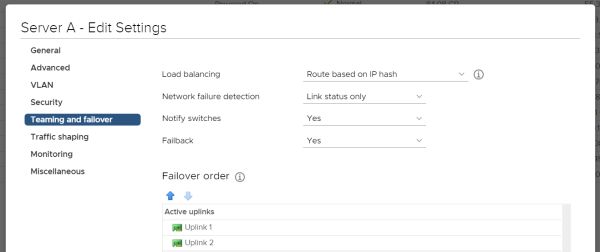
There was once… a customer who was concernced about the network-wise failover on the ESXi-level, which was not working as he expected it to. To shed some light on the complete scenario… The configuration is pretty simple: The switch is vSwitch0 As Failover order there are two vmnic adapters configured as active. (Let’s say vmnic0 and vmnic1) Load balancing is Route based on IP hash (Static LAG/etherchannel/trunk set on physical switch) Network failure detection is Link status only Notify switches is Yes. Taking above into consideration: When disabling one of the two active vmnic adapters on ESXi using esxcli network nic down -n vmnicX you would expect a failover to occur – don’t you? The truth is: Not necessarily. Let’s go into detail…
Blog

Darf ich euch vorstellen: jnettop. jnettop ist ein gutes Tool zur Überwachung des Traffics. Dieser zeigt keine Graphen an, sondern protokolliert alle derzeitigen Verbindungen auf den Server – auch mit aktueller Geschwindigkeit. Das Tool besitzt auch Filter und Sortierungsfunktionen und diverse andere…
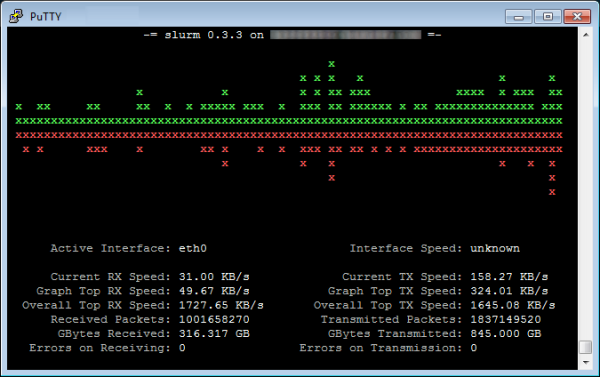
slurm ist ein simples textbasierendes Netzwerk Überwachungstool, womit man die aktuelle Übertragungsgeschwindigkeit ansehen kann. Sowohl die Installation auch das Starten geht schnell und einfach. Im Beginn des Artikels ist ein Screenshot, wie slurm aussieht. Installation …wird nur mit einem Befehl erledigt:…
Mit Linux und IPTables ist es sehr einfach, einen Port von Server A zu einen bestimmten Port zu Server B weiterzuleiten. Es sind nur 3 Befehle: iptables -A INPUT -i eth0 -p tcp --dport PORTA -j ACCEPTiptables -t nat -A PREROUTING -t nat -p tcp -d SERVERA --dport PORTA -j DNAT --to SERVERB:PORTBiptables…