
In addition to my piler installation guide this now focuses on updating an existing piler setup. Luckily this takes noticeable less time than the installation. If you don’t have piler up and running yet, check out my guide linked before. Basically the update procedure consists out of four steps. Make…
Blog
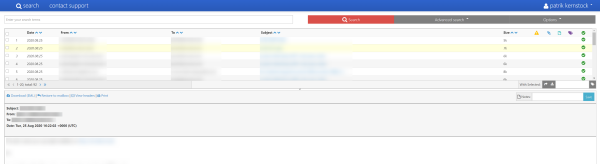
Want to update piler? Then you can check out my piler update guide. This is my installation guide for mailpiler I have written and optimized in the last days. If there are any questions or ideas, please let me know in the comments below or via email. piler is a open source email archiving solution with benefits and many features. The main usecase is for compliance and legal reasons of companies. Piler can encrypt and compress, deduplicate mails to reduce disk usage. This should guide you through the setup of mailpiler on a fresh Ubuntu installation. For your convenience I have added quite some sed commands for easily adjusting most configuration files as needed and also variables for easier replacing specific values throughout the guide. However note, that the goal of this is not automating the installation and you might need to adjust the configuration to your own needs during or after steps provided. Consulting documentation and guides linked below is recommended. This guide should take approx. 45 minutes.
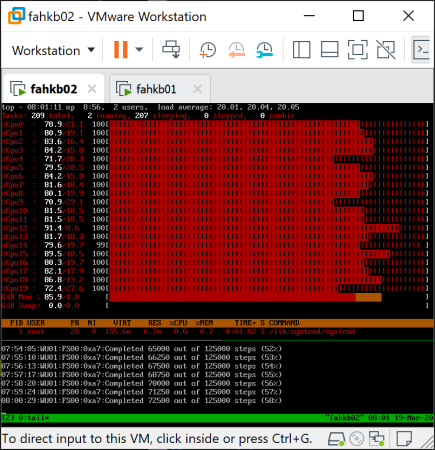
You might have seen my previous blog post about the VMware Appliance for Folding@Home. This article is about how the local console was made underneath – and actually how simple it is. Usually when powering on a Linux-based operating system, you just get the usual login console after boot. I thought that it would be handy to see what or if something is ongoing without actually logging in – so in other words: Seeing how busy the virtual machine is, and what the Folding@Home software is doing. So I went ahead figuring out a simple, fast and easy way showing both. Ending up with the idea: Using a terminal multiplexer, and showing the classic top and tail -f /var/lib/fahclient/log.txt. That’s how it looks like (when Enable F@H Stats in VM Console was enabled during deployment): This is how it works…
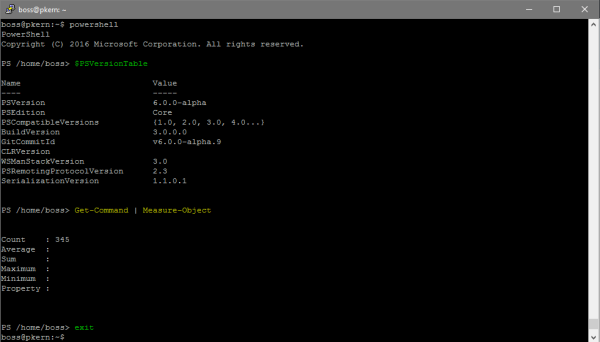
Überraschung! Microsoft hat vor wenigen Tagen die von der Windows-Welt allbekannte PowerShell für Linux- und macOS Systeme öffentlich freigegeben. Und zwar steht nun das Projekt auf GitHub unter der MIT-Lizenz – also OpenSource – für jeden frei zur Verfügung. Es gab bereits vor einigen Wochen einige Spekulationen und mehrfache inoffizielle Aussagen, dass Microsofts Shell OpenSource auch für andere Systemen erscheinen soll. Diese haben sich hiermit nun bestätigt…
Noch ein kleiner Tipp für Zwischendurch: Falls man mal eine Zertifikatsdatei .pfx benötigen sollte, aber nur das Zertifikat (.cer, .crt) und den Key (.key) besitzen sollte, kann man sich mit einem einfachen Befehl mit dem Tool openssl die Zertifikatsdatei erstellen: openssl pkcs12 -export -out domain.pfx…
Vor mehreren Wochen stand ich vor dem Problem, das temporäre Verzeichnis /tmp zu leeren: Beim Ausführen kam lediglich die wenig zufriedenstellende Rückmeldung /bin/rm: Argument list too long. Der Fehler scheint aufzutauchen, wenn das Argument mit der Liste der zu löschenden Dateien größer als 128 Kilobyte…
Ein kleiner Tipp für Zwischendurch, womit man ganz simpel die Internetanbindung über die allbekannte Seite Speedtest.net über die Command Line testen kann. Die Installation sowie die Ausführung ist schnell erledigt und lässt sich auch sehr leicht durchführen. Installation von python-pip via apt Installation…

Das Problem Vor einigen Monaten stand ein Freund und ich vor dem Rätsel, warum eine neu erstelle Partition mit dem Dateisystem ext4 bereits eine Menge an Speicherplatz belegt hat – komplett jungfräulich, ohne jegliche Daten. Bei einer 4 TB Festplatte waren so bereits satte 186 GB in Verwendung… Wie sich…
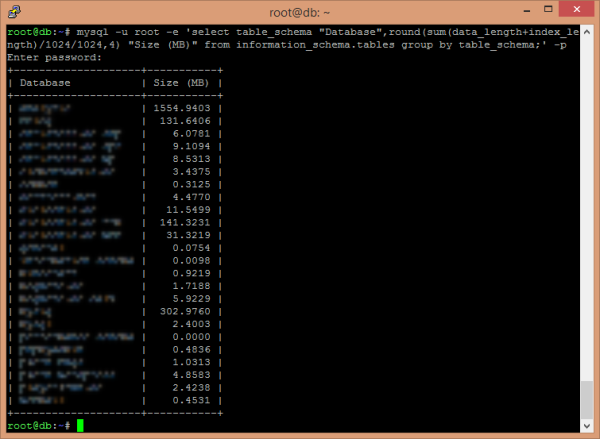
Ohne große Erklärung oder viel Geschreibe – hier der Befehl zum Kopieren & Einfügen in die MySQL-Console: mysql -u root -e -p 'select table_schema "Database",round(sum(data_length+index_length)/1024/1024,4) "Size (MB)" from information_schema.tables group by table_schema;' Nach dem Einfügen und Ausführen…
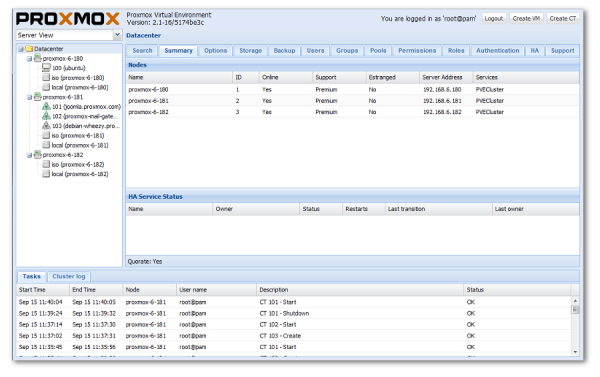
Ein kleiner Tipp für jene, welche selbst die Virtualisierungsoberfläche Proxmox VE einsetzen: Es gibt im offiziellen Wiki von Proxmox eine sehr einfache Anleitung, wie man Fail2Ban auch für Proxmox VE verwenden kann: http://pve.proxmox.com/wiki/Fail2ban. Könnte durchaus nützlich sein – habe ich selbst…