QuickTip: Manually trigger certificate renewal on Avi Controller/NSX ALB
Note
This article is more than 5 year(s) old – information may be outdated.
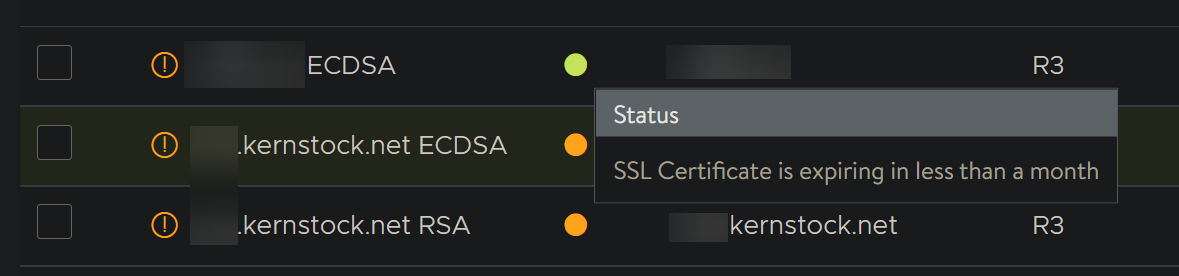
Avi Controller (or NSX Advanced Load Balancer, as known now) is able to automatically run scripts to renew your certificates your Virtual Services use – this is done by such called Certificate Management and ControlScript.
The certificate renewal is, by default, triggered 7 days before the certificate expiry. Or to be more exact, just right before the penultimate certificate expiry notification as configured on your controller. For more information see Avi’s documentation for "Customizing Notification of Certificate Expiration" here.
Why?
This functionality is also great for using the free, well-known certificate authority Let’s Encrypt. I’m currently working on quite some improvements to the Let’s Encrypt script for Avi Controller and manually triggering the renewal process makes testing just so much easier.
Right to the magic
- Login to your Avi Controller/NSX ALB via SSH using
admin(or any other user having permissions to login via SSH) -
Then type
shellto open and login into Avi’s custom shell:TEXTadmin@avicontroller:~# shell Login: admin Password: -
Then you can use the
renewcommand to trigger certificate renewal manually just like this:TXT[admin:avicontroller.]: > renew sslkeyandcertificate patrik.kernstock.net\ ECDSA Certificate Renewed STDOUT - Running version 0.9.0 Debug enabled. dry_run is: False disable_check is: False directory_url is https://acme-v02.api.letsencrypt.org/directory Reusing account key. Parsing account key... Parsing CSR... Found domains: patrik.kernstock.net [...]
Tip: You can also type renew sslkeyandcertificate and TAB to autocomplete the names for you.
Thanks to Nikhil from Avi Engineering team for bringing this to my attention! That’s really handy.
Comments