Horizon 7.10: Enabling dynamic codec switching
Note
This article is more than 6 year(s) old – information may be outdated.
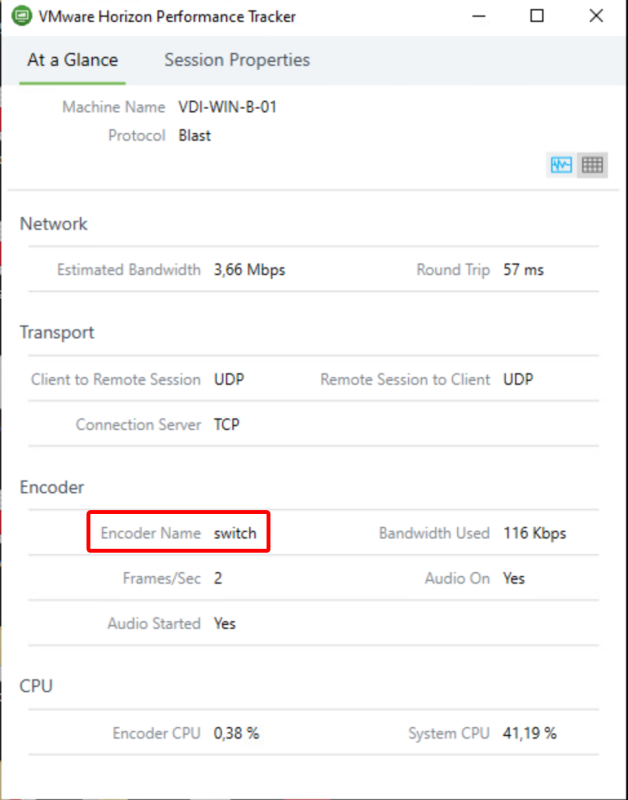
VMware Horizon 7.10 – released on September 17, 2019 – ships with a new dynamic encoder. Depending on what content you’re watching to in your VDI, it will seamless switch to the best suiting codec for optimal performance/quality-balance. While H.264 is ideal for rapidly changing contents like videos, JPG/PNG offers better quality for more static content like Office applications. Overall: Neat stuff!
As of this release the "switch"-Codec is disabled by default and must be explicitly enabled via registry. Also make sure you’re using Horizon Client 5.2 or later to make the codec work.
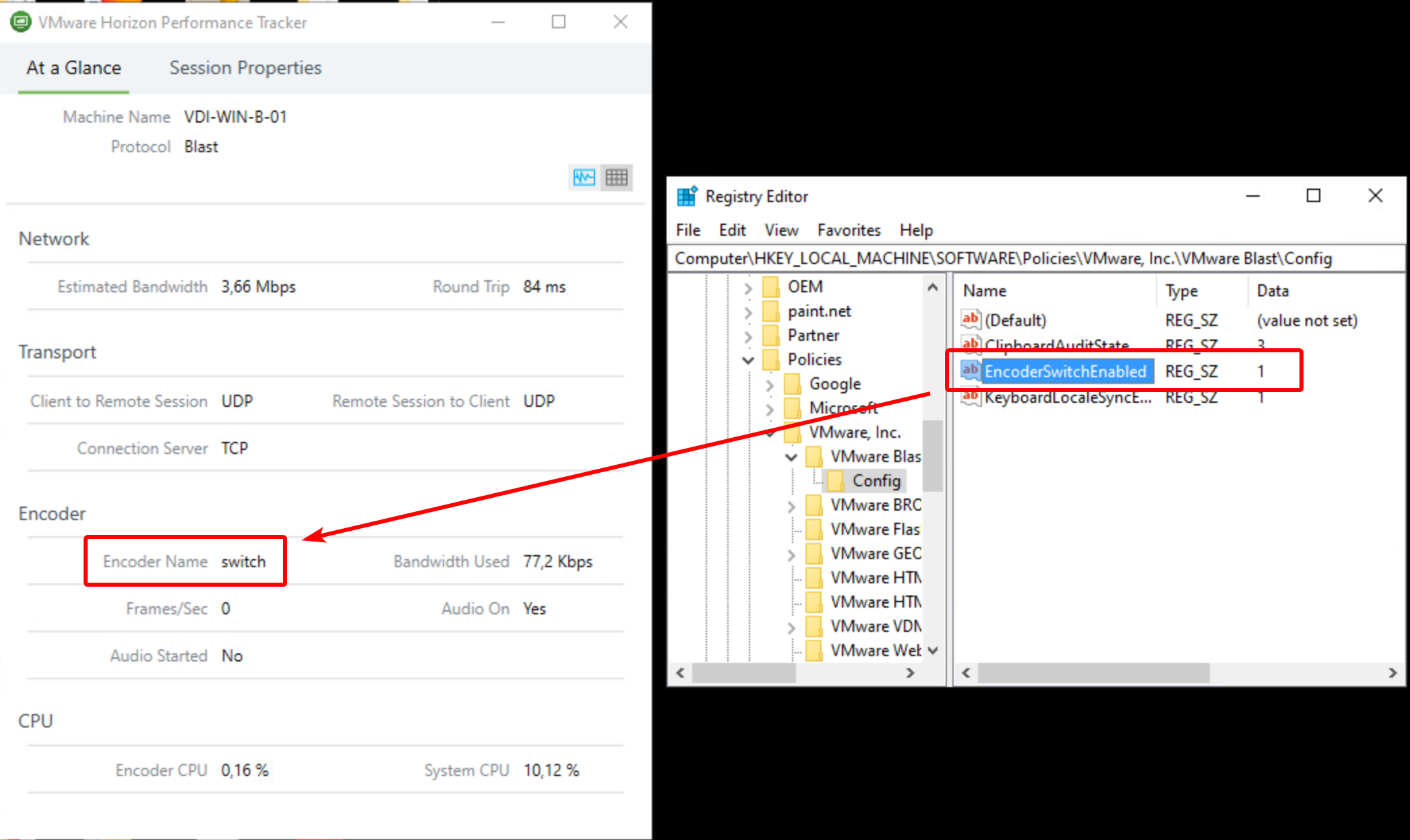
To enable the new feature, you need to set this registry key on your VDI machine:
Key: HKEY_LOCAL_MACHINE\SOFTWARE\Policies\VMware, Inc.\VMware Blast\Config\EncoderSwitchEnabled
Type: REG_SZ
Value: 1
When you have created the registry key, re-initiate the connection to your VDI machine. Then check with the "VMware Horizon Performance Tracker"-tool if you can see "Encoder Name" is set to "switch". Like in the screenshot of my HomeLab here:
If you would like to get more details about the 7.10 release, you can get the release notes here or a blog article by VMware here.
Comments